使用iconfont在线icon
使用iconfont在线icon
使用iconfont在线icon
为了节省空间,也可以在线使用
在iconfont官网中我的页面创建一个自己的项目
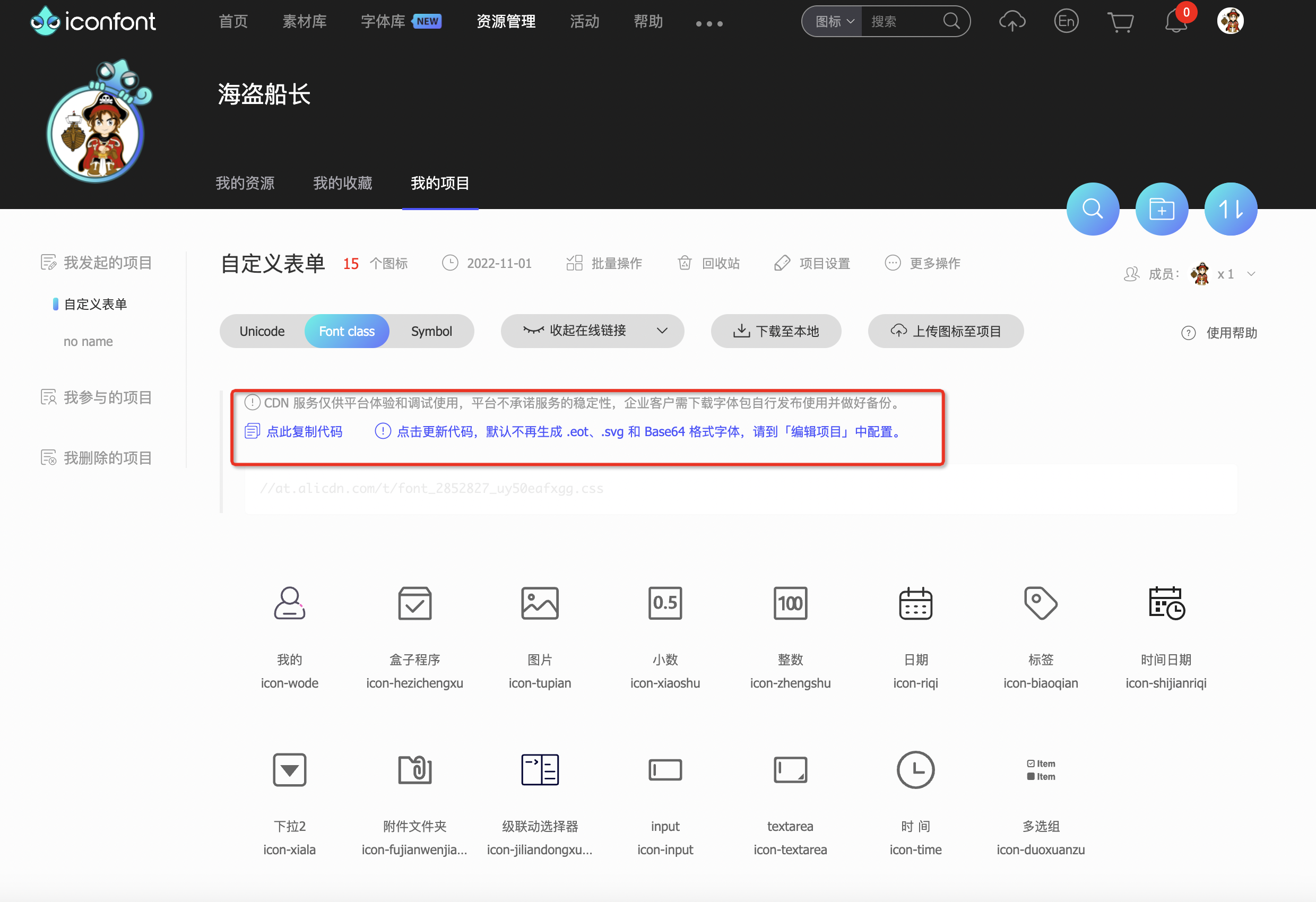
然后项目中引入 CSS
1
2
3
4
5
6
7
8
9
10
11
12
13
14
15
16
17
18
19
20
21
22
23
24
25
26
27
28
29
30
31
32
33
34
35
36
37
38
39
40
41
42
43
44
45
46
47
48
49
50
51
52
53
54
55
56
57
58
59
60
61
62
63
64
65
66
67
@font-face {
  font-family: "iconfont"; /* Project id 2852827 */
  src: url('//at.alicdn.com/t/font_2852827_uy50eafxgg.woff2?t=1633673380229') format('woff2'),
    url('//at.alicdn.com/t/font_2852827_uy50eafxgg.woff?t=1633673380229') format('woff'),
    url('//at.alicdn.com/t/font_2852827_uy50eafxgg.ttf?t=1633673380229') format('truetype');
}

.iconfont {
  font-family: "iconfont" !important;
  font-size: 16px;
  font-style: normal;
  -webkit-font-smoothing: antialiased;
  -moz-osx-font-smoothing: grayscale;
}

.icon-tupian:before {
  content: "\e64a";
}

.icon-xiaoshu:before {
  content: "\e7ef";
}

.icon-zhengshu:before {
  content: "\e7f2";
}

.icon-riqi:before {
  content: "\e65e";
}

.icon-biaoqian:before {
  content: "\e63d";
}

.icon-shijianriqi:before {
  content: "\e6e4";
}

.icon-xiala:before {
  content: "\e63f";
}

.icon-fujianwenjianjia:before {
  content: "\e61f";
}

.icon-jiliandongxuanzeqi:before {
  content: "\e616";
}

.icon-input:before {
  content: "\e604";
}

.icon-textarea:before {
  content: "\e60a";
}

.icon-time:before {
  content: "\e62b";
}

.icon-duoxuanzu:before {
  content: "\e64c";
}
然后通过普通标签显示
1
2
<i class="iconfont icon-tupian"></i>
<i class="iconfont icon-jiliandongxuanzeqi"></i>
本文由作者按照 CC BY 4.0 进行授权