HTML标签之_details_与_summary_
HTML标签之 与
HTML标签之_details_与_summary_
HTML标签之 与 <summary>
众所周知, HTML5 已经出了很多年,其迭代版本都出到了 HTML5.3 。这其中有趣的 API 跟 标签有许多,这里就简单介绍两个:<details> 跟 <summary> 。
定义
<details> 就是一个展示附加内容的原生组件。
而 <summary> 则是承载 <details> 附加内容的标签。
demo
具体表现是这样:
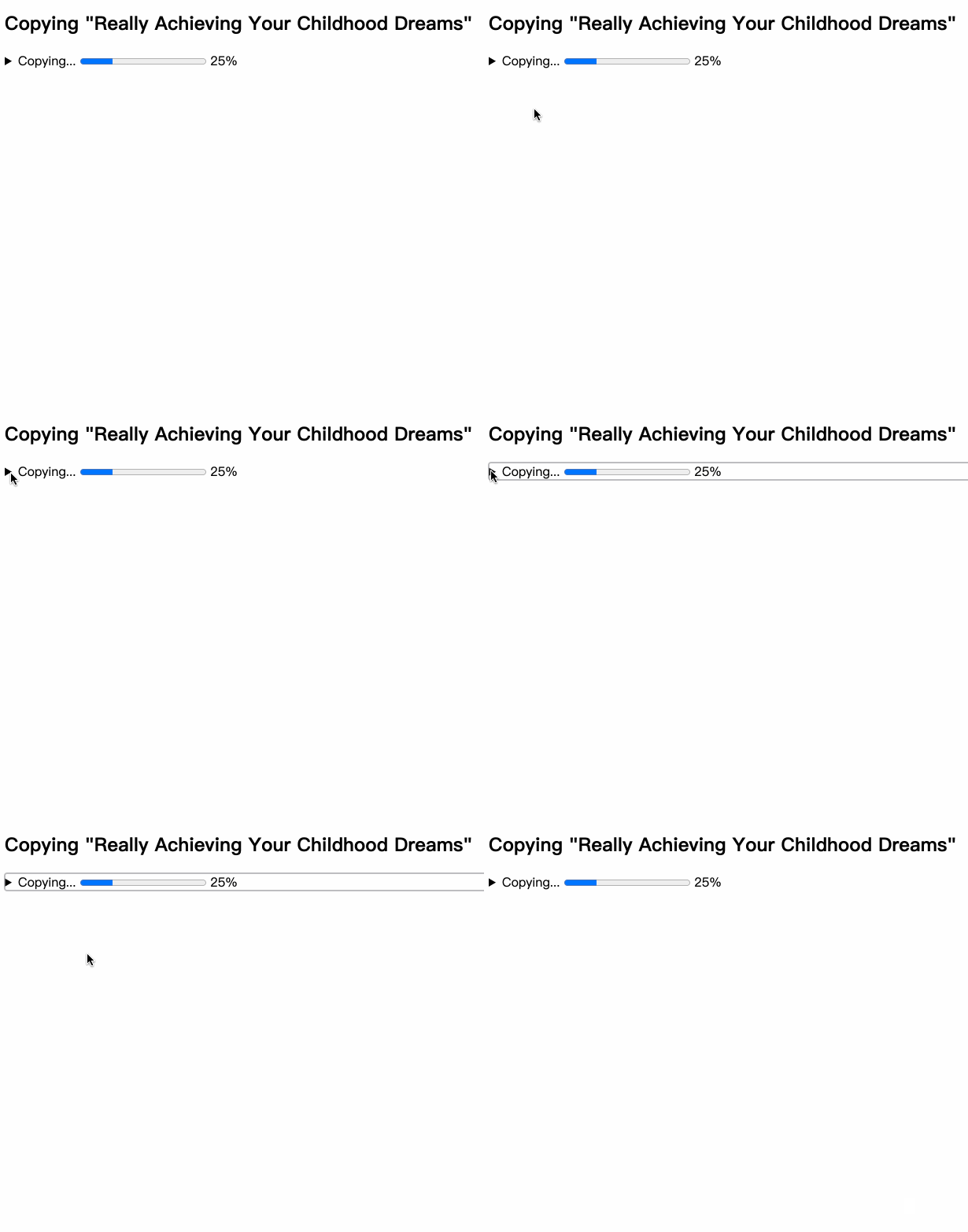
代码如下:
1
2
3
4
5
6
7
8
9
10
11
12
<h1>Copying "Really Achieving Your Childhood Dreams"</h1>
<details>
  <summary>Copying... <progress max="375505392" value="97543282"></progress> 25%</summary>
  <dl>
    <dt>Transfer rate:</dt> <dd>452KB/s</dd>
    <dt>Local filename:</dt> <dd>/home/rpausch/raycd.m4v</dd>
    <dt>Remote filename:</dt> <dd>/var/www/lectures/raycd.m4v</dd>
    <dt>Duration:</dt> <dd>01:16:27</dd>
    <dt>Color profile:</dt> <dd>SD (6-1-6)</dd>
    <dt>Dimensions:</dt> <dd>320×240</dd>
  </dl>
</details>
我们可以通过给 <details> 添加 open 属性来控制默认状态,例如:
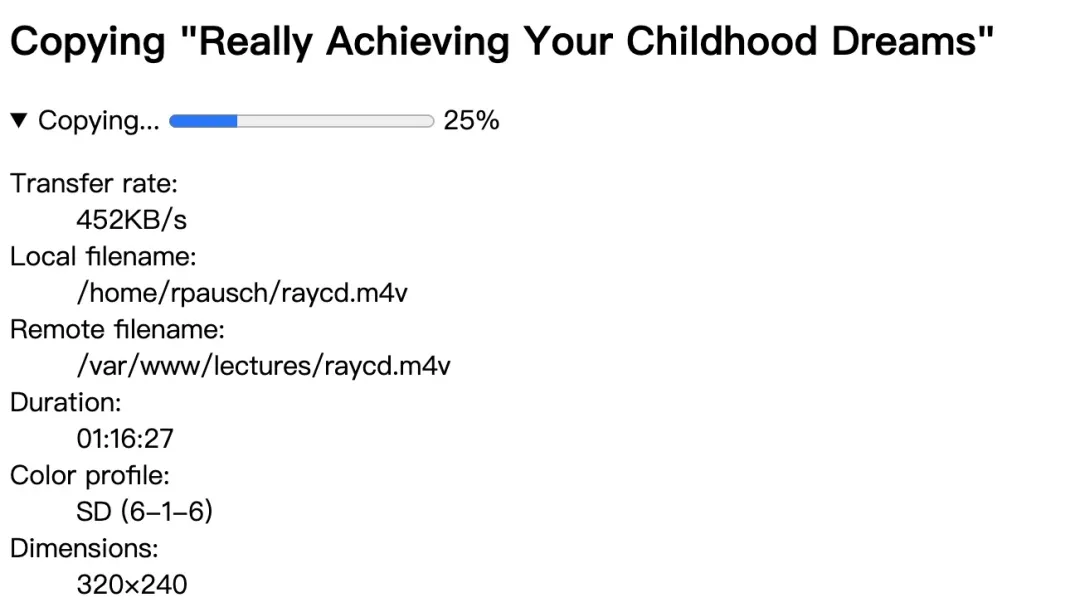
代码如下:
1
2
3
<details open>
  ...
</details>
JS 控制
我们可以通过 toggle 事件来进行控制,例子如下:
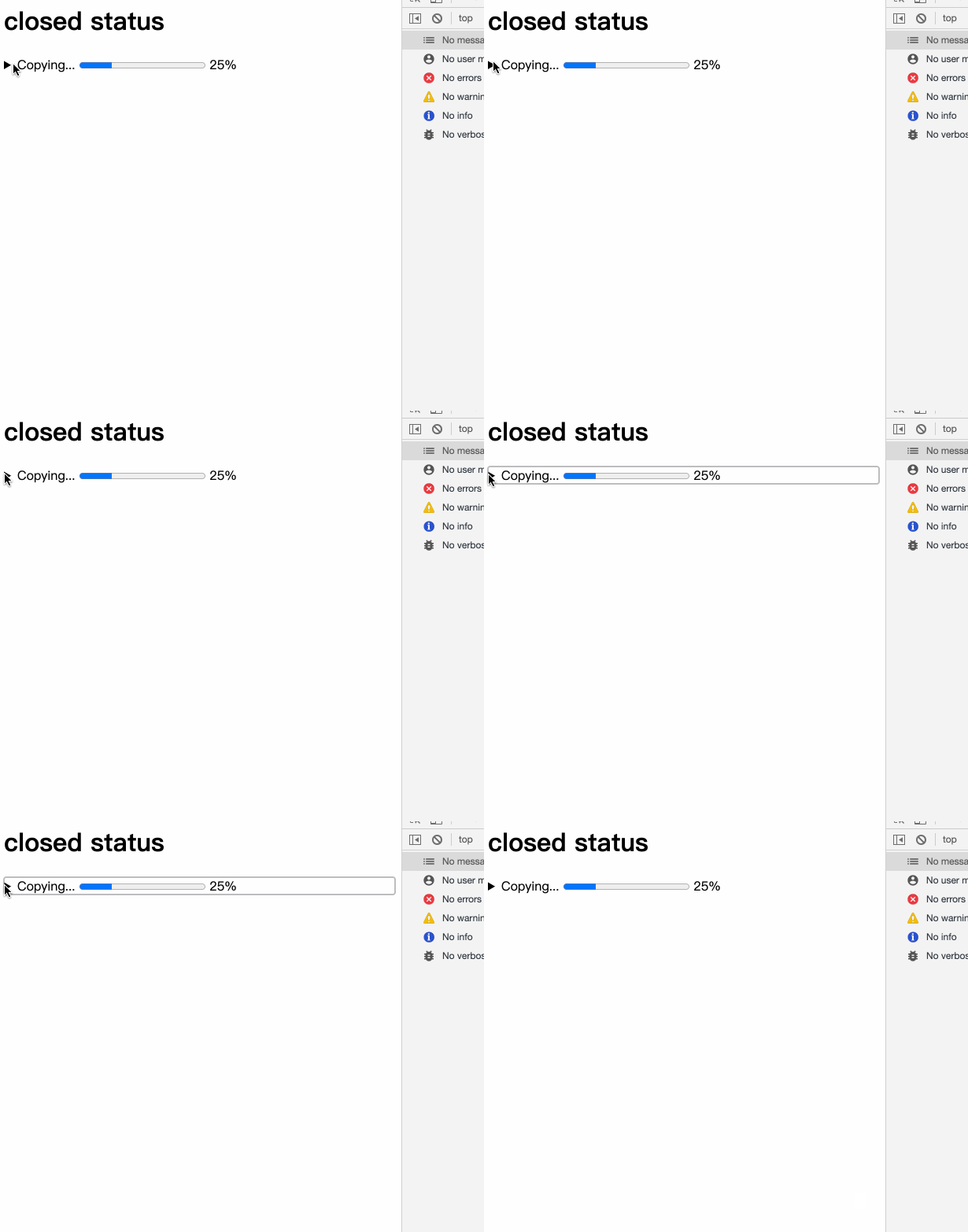
代码如下:
1
2
3
details.addEventListener("toggle", event => {
	h1.innerText = details.open ? 'opened status' : 'closed status';
});
体验优化
众所周知,原生标签的样式一般都比较丑,而且还不统一(所以一般没什么人用)。
不过还好,上述两个标签的基本样式的都是可以改的。
效果如下:
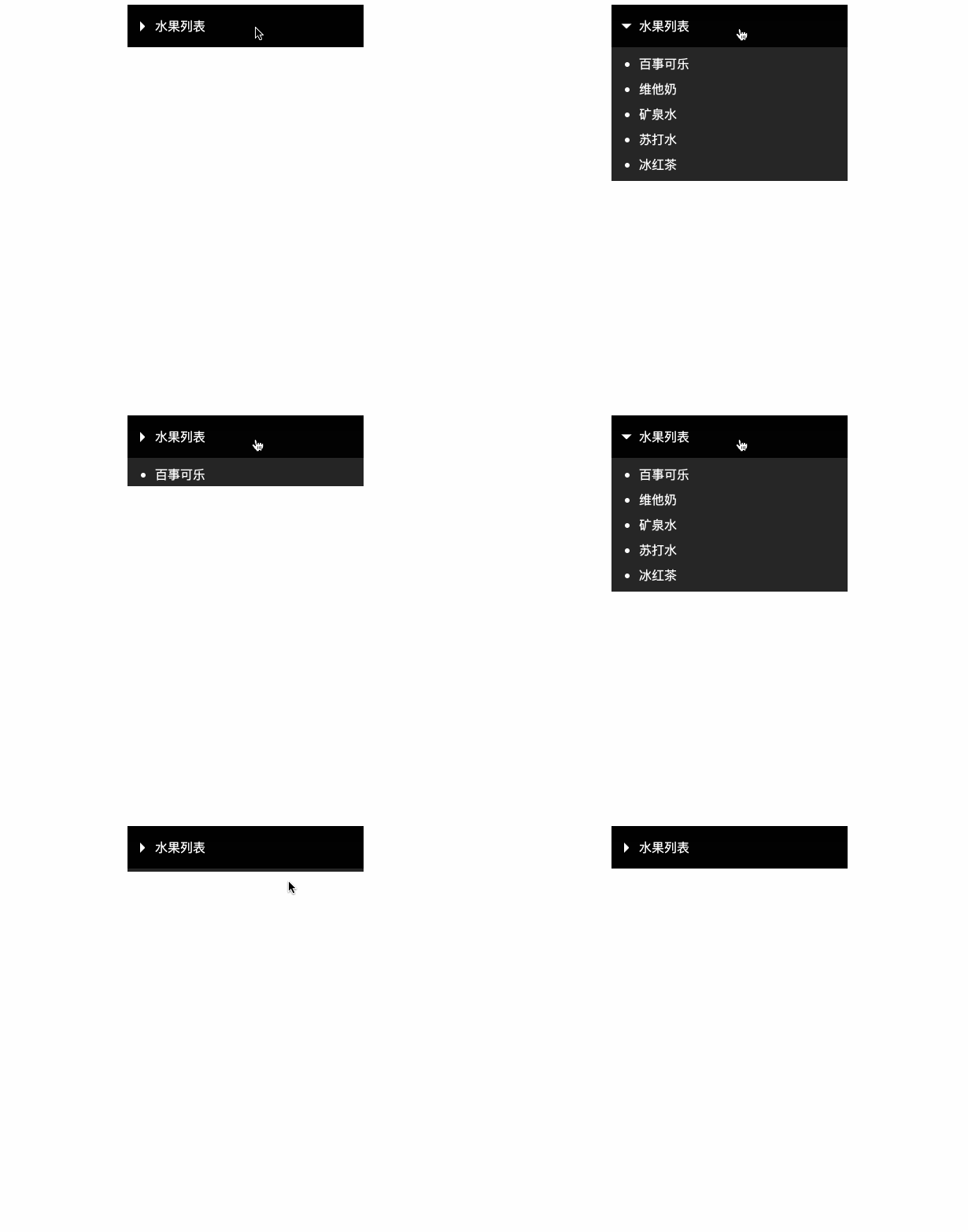
体验地址如下:
https://codepen.io/krischan77/pen/Rwomgzp
代码如下:
1
2
3
4
5
6
7
8
9
10
11
12
13
14
15
16
17
18
19
20
21
22
23
24
25
26
27
28
29
30
31
32
33
34
35
36
37
38
39
40
41
42
43
44
45
46
47
48
49
50
51
52
53
54
55
56
57
58
59
60
61
62
63
64
65
66
67
68
69
70
71
72
73
74
75
76
77
78
<style>
  html,
  bodym
  details,
  summary {
    margin: 0;
    padding: 0
  }
  html,
  body {
    color: #fff;
  }
  details,
  summary {
    outline: none;
  }
  ul {
    margin-top: 0;
    margin-bottom: 0;
    padding-top: 0;
    padding-bottom: 0;
    padding-left: 35px;
  }
  li {
    cursor: pointer;
    margin: 10px 0;
  }
  section,
  details {
    width: 300px;
    margin: 50px auto 0;
    cursor: pointer;
    background:  rgba(0,0,0,.85);
  }
  summary {
    padding: 16px;
    display: block;
    background: rgba(0,0,0,.65);
    padding-left: 35px;
    position: relative;
    cursor: pointer;
  }
  summary::before {
    content: '';
    border-width: .4rem;
    border-style: solid;
    border-color: transparent transparent transparent #fff;
    position: absolute;
    top: 21px;
    left: 16px;
    transform: rotate(0);
    transform-origin: 3.2px 50%;
    transition: .25s transform ease;
  }
  details[open] > summary::before {
    transform: rotate(90deg);
  }
  details + ul {
    max-height: 0;
    transition: max-height .5s;
    overflow: hidden;
  }
  details[open] + ul {
    max-height: 260px;
  }
</style>
<section id="section">
  <details id="details">
    <summary id="summary">水果列表</summary>
  </details>
  <ul>
    <li>百事可乐</li>
    <li>维他奶</li>
    <li>矿泉水</li>
    <li>苏打水</li>
    <li>冰红茶</li>
  </ul>
</section>
配合简单的过渡跟选择器,就能够轻松实现折叠菜单功能,非常方便。
兼容性
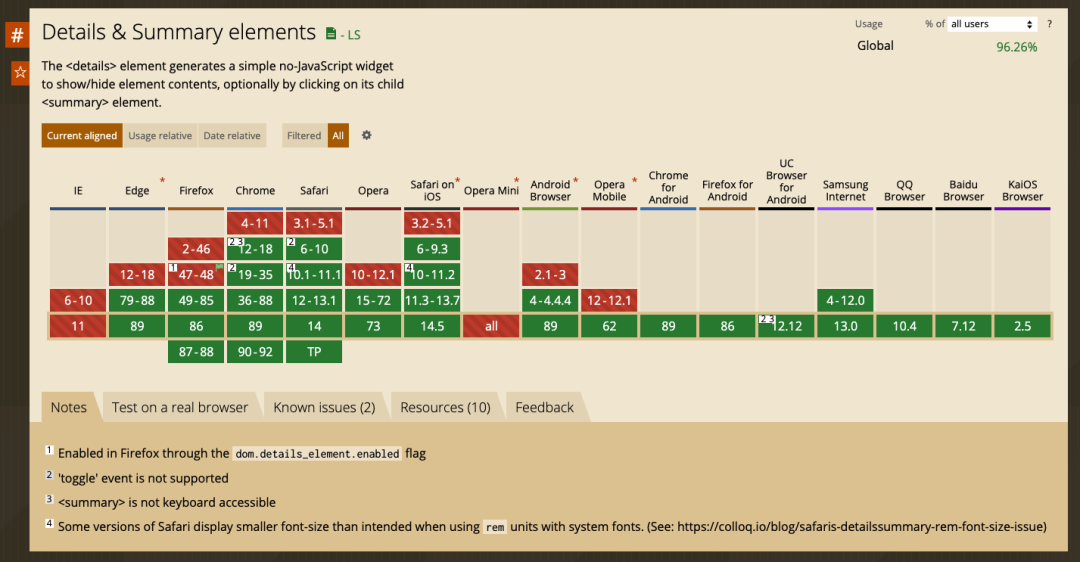
还行,虽然 IE 还是全军覆没,但是在移动端还是可以很香地使用的
本文由作者按照 CC BY 4.0 进行授权