UnconstrainedBox
UnconstrainedBox
UnconstrainedBox
UnconstrainedBox
UnconstrainedBox 是 Flutter 中一个特殊的布局组件,它允许子组件突破父组件的约束限制,”解除”父组件传递下来的约束条件。
基本概念
UnconstrainedBox 会创建一个新的约束环境,让子组件可以按照自己的尺寸布局,不受父组件约束的限制。
1
2
3
UnconstrainedBox(
  child: Widget(...),
)
常见用法及示例
1. 允许子组件超出父容器限制
场景:父容器限制了最大尺寸,但希望子组件能突破这个限制
1
2
3
4
5
6
7
8
9
10
11
12
Container(
  width: 100,
  height: 100,
  color: Colors.grey,
  child: UnconstrainedBox(
    child: Container(
      width: 150,
      height: 150,
      color: Colors.blue.withOpacity(0.5),
    ),
  ),
)
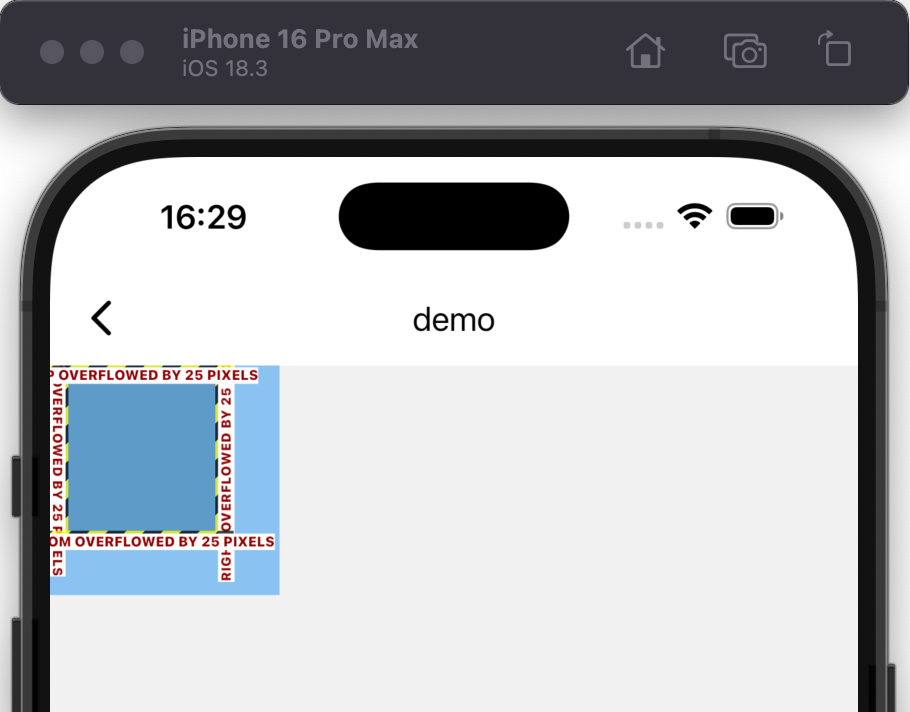
预期效果:
- 灰色父容器固定为100×100
- 蓝色子容器设置为150×150
- 正常情况下子容器会被父容器裁剪
- 使用UnconstrainedBox后,蓝色容器会溢出显示(可以看到超出灰色区域的部分)
2. 实现自由定位的子组件
1
2
3
4
5
6
7
8
9
10
11
12
13
14
15
16
17
Stack(
  children: [
    Container(width: 200, height: 200, color: Colors.red),
    Positioned(
      left: 50,
      top: 50,
      child: UnconstrainedBox(
        child: Container(
          width: 300,
          height: 100,
          color: Colors.blue.withOpacity(0.5),
          child: Text('超出Stack边界', style: TextStyle(color: Colors.white)),
        ),
      ),
    ),
  ],
)
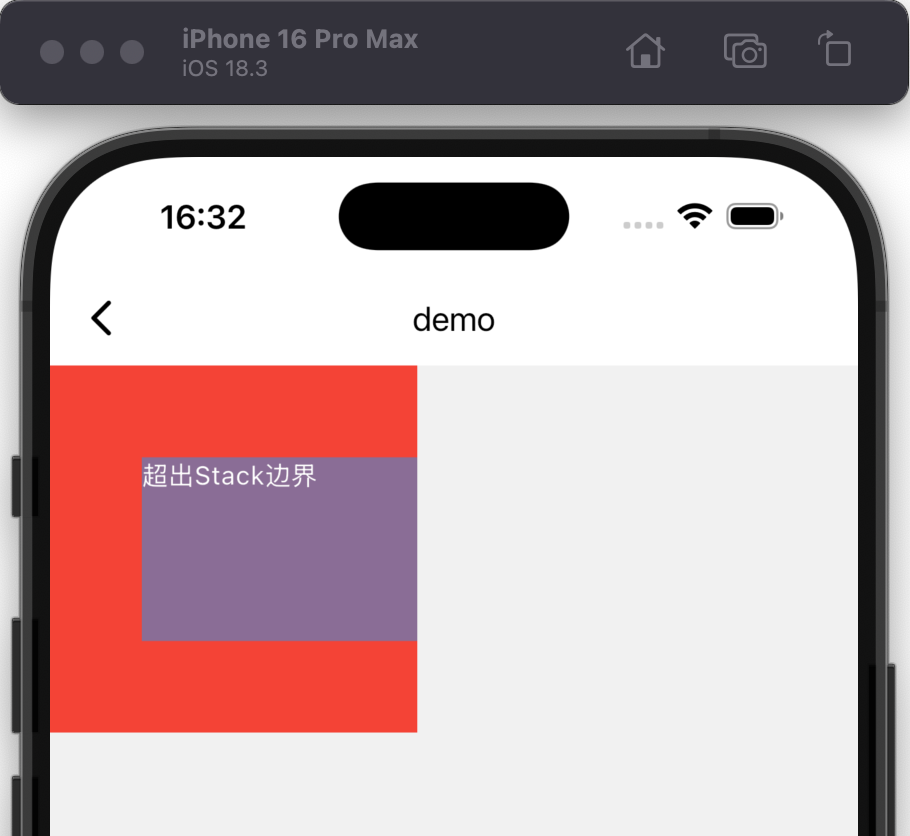
预期效果:
- 红色背景200×200
- 蓝色子组件设置为300×100
- 使用UnconstrainedBox后,蓝色组件可以超出Stack的边界显示
- 注意:Stack本身不会自动裁剪溢出内容
3. 配合Transform实现特殊效果
1
2
3
4
5
6
7
8
9
10
11
12
13
14
15
Container(
  width: 100,
  height: 100,
  color: Colors.green,
  child: UnconstrainedBox(
    child: Transform.scale(
      scale: 1.5,
      child: Container(
        width: 80,
        height: 80,
        color: Colors.yellow,
      ),
    ),
  ),
)
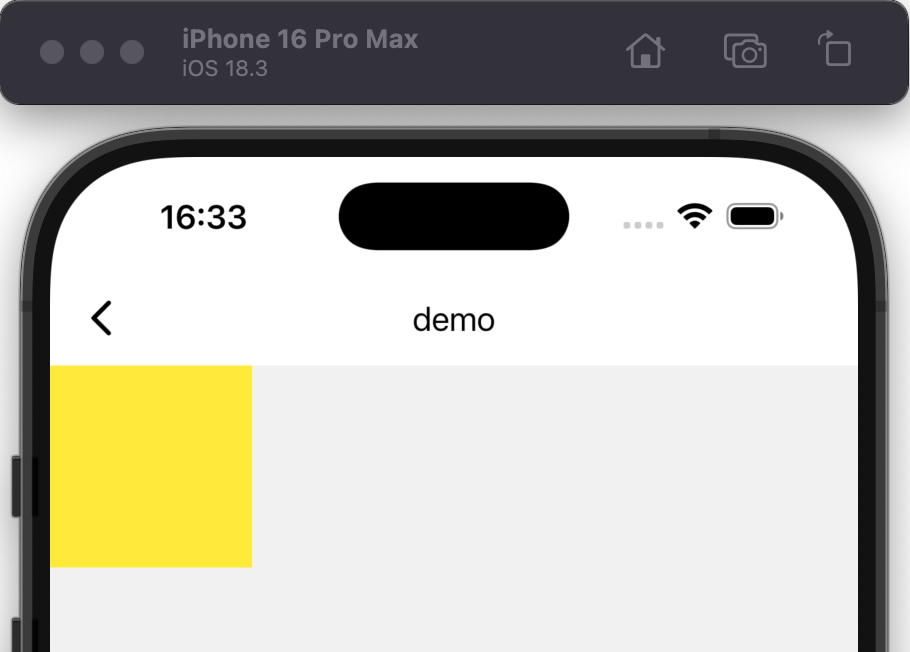
预期效果:
- 绿色父容器100×100
- 黄色子容器80×80但被放大1.5倍→120×120
- 不使用UnconstrainedBox会被裁剪
- 使用后可以完整显示放大后的效果
4. 实现超出ListView边界的组件
1
2
3
4
5
6
7
8
9
10
11
12
13
14
ListView(
  children: [
    Container(height: 100, color: Colors.red),
    UnconstrainedBox(
      child: Container(
        width: 400,
        height: 100,
        color: Colors.blue,
        child: Center(child: Text('超出ListView宽度', style: TextStyle(color: Colors.white))),
      ),
    ),
    Container(height: 100, color: Colors.green),
  ],
)
预期效果:
- 正常ListView的子组件会被约束在ListView宽度内
- 使用UnconstrainedBox后,蓝色容器可以超出ListView的宽度限制
- 红色和绿色容器保持正常宽度
5. 配合Align实现特殊布局
1
2
3
4
5
6
7
8
9
10
11
12
13
14
15
16
Container(
  width: 200,
  height: 200,
  color: Colors.grey,
  child: UnconstrainedBox(
    child: Align(
      alignment: Alignment.topLeft,
      child: Container(
        width: 300,
        height: 100,
        color: Colors.purple,
        child: Center(child: Text('从左上角溢出', style: TextStyle(color: Colors.white))),
      ),
    ),
  ),
)
预期效果:
- 灰色父容器200×200
- 紫色子容器300×100
- 从左上角开始布局,向右下方溢出
注意事项
- 溢出处理:UnconstrainedBox的子组件可能会溢出父容器,考虑使用ClipRect或OverflowBox控制
- 性能影响:过度使用可能导致布局计算复杂化
- 与ConstrainedBox的区别:
- ConstrainedBox是增加约束
- UnconstrainedBox是解除约束
- 布局方向:UnconstrainedBox默认从左上角开始布局,可以使用Align调整
- 边界情况:某些父组件(如AppBar)的约束可能无法完全解除
实用技巧
1. 有限制的解除约束
1
2
3
4
5
6
7
8
UnconstrainedBox(
  constrainedAxis: Axis.horizontal, // 只解除水平方向约束
  child: Container(
    width: 400,
    height: 100,
    color: Colors.orange,
  ),
)
预期效果:
- 垂直方向仍受父约束限制
- 水平方向可以自由扩展
2. 配合动画使用
1
2
3
4
5
6
7
8
UnconstrainedBox(
  child: AnimatedContainer(
    duration: Duration(seconds: 1),
    width: _expanded ? 300 : 100,
    height: 100,
    color: Colors.teal,
  ),
)
预期效果:
- 动画可以自由扩展到超出父容器限制的尺寸
- 不使用UnconstrainedBox会被父容器裁剪
UnconstrainedBox在需要突破常规布局限制时非常有用,但要注意合理使用以避免界面混乱。
本文由作者按照 CC BY 4.0 进行授权