InstallingCocoaPodsdependencies很久-或各种网络超时重置报错
Installing CocoaPods dependencies 很久,或各种网络超时重置报错
InstallingCocoaPodsdependencies很久-或各种网络超时重置报错
Installing CocoaPods dependencies 很久,或各种网络超时重置报错
场景
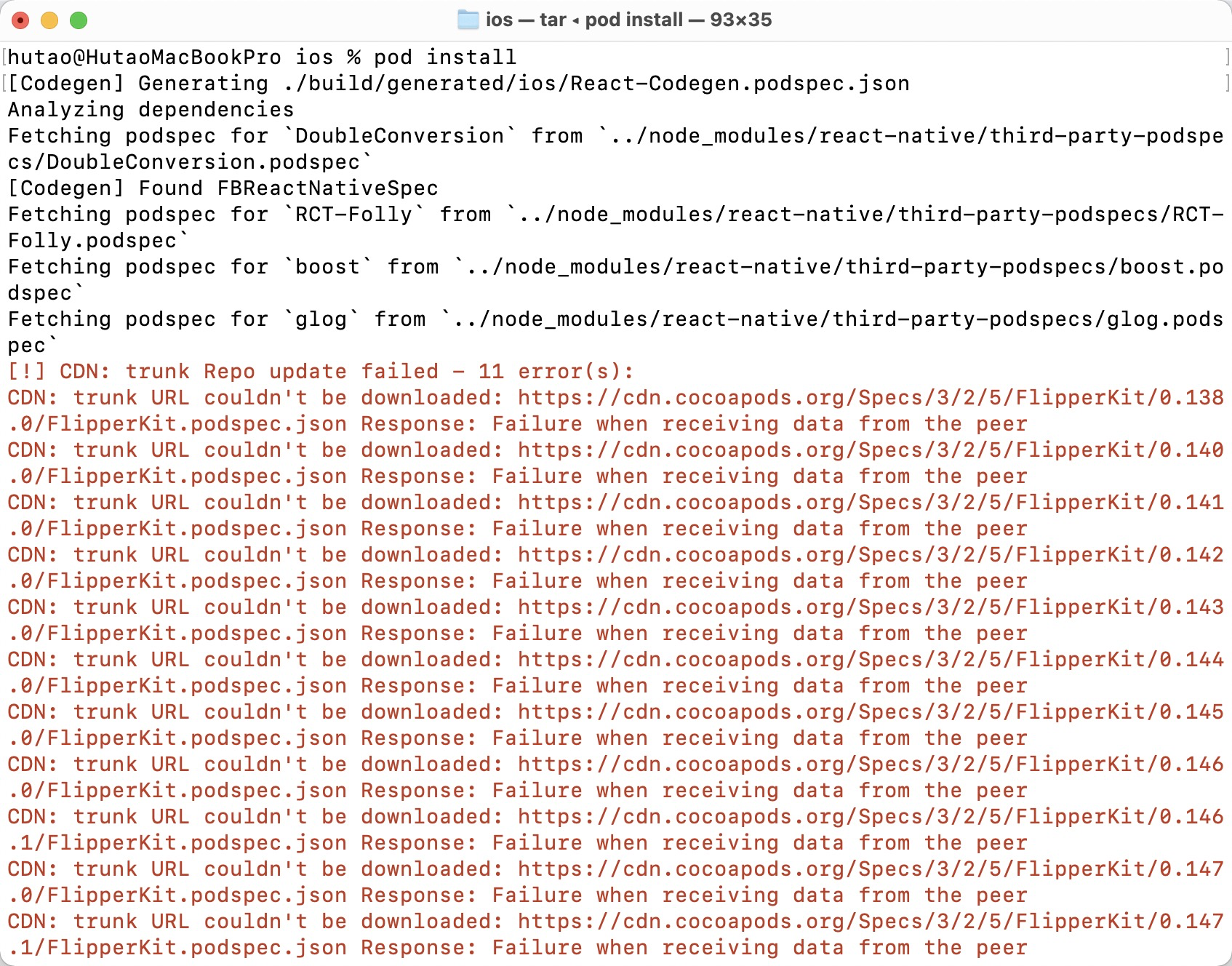
如下图:pod install 时报错
分析
其实就是国内网络原因(CocoaPods 的源必须使用代理访问)
此时就算你本机开启了代理,浏览器也能访问谷歌了,但是你再次执行 pod install 也可能还是失败的,原因就是您的终端默认不走代理,需要手动配置终端代理。
解决方法:
推荐方法一
1
2
3
4
5
6
7
8
9
10
11
12
13
14
15
16
17
18
19
20
21
22
23
24
25
26
27
28
29
30
31
32
33
34
35
36
37
38
39
40
41
42
43
44
45
46
47
48
49
50
51
52
53
54
55
56
57
58
59
60
61
62
63
64
-方法一:(推荐使用)
为什么说这个方法推荐使用呢?因为他只作用于当前终端中,不会影响环境,在终端中直接运行:

export http_proxy=http://proxyAddress:port

比如我这里:
export https_proxy=http://127.0.0.1:7890
export http_proxy=http://127.0.0.1:7890
export all_proxy=socks5://127.0.0.1:7890
也可以合并执行:
export https_proxy=http://127.0.0.1:7890 http_proxy=http://127.0.0.1:7890 all_proxy=socks5://127.0.0.1:7890

方法二 :
这个办法的好处是把代理服务器永久保存了,下次就可以直接用了
把代理服务器地址写入shell配置文件.bashrc或者.zshrc 直接在.bashrc或者.zshrc添加下面内容

export http_proxy="http://localhost:port"
export https_proxy="http://localhost:port"
或者走socket5协议(ss,ssr)的话,代理端口是1080

export http_proxy="socks5://127.0.0.1:7890"
export https_proxy="socks5://127.0.0.1:7890"
或者干脆直接设置ALL_PROXY

export ALL_PROXY=socks5://127.0.0.1:7890
最后在执行如下命令应用设置
source ~/.bashrc

或者通过设置alias简写来简化操作,每次要用的时候输入setproxy,不用了就unsetproxy。
添加环境变量
打开终端,执行
vi ~/.bash_profile
添加
#proxy
alias proxy='export http_proxy=http://10.12.1.16:3128;export https_proxy=http://10.12.1.16:3128;'
alias unproxy='unset all_proxy'
保存
再执行以下命令,使配置生效
source ~/.bash_profile
source ~/.bash_profile只生效一次的解决方案
在~/.zshrc文件最后,增加一行:
source ~/.bash_profile

三、验证
#开启代理
proxy
#关闭代理
unproxy

方法三:
改相应工具的配置,比如apt的配置

sudo vim /etc/apt/apt.conf
在文件末尾加入下面这行

Acquire::http::Proxy "http://proxyAddress:port"
重点来了!!如果说经常使用git对于其他方面都不是经常使用,可以直接配置git的命令。
使用ss/ssr来加快git的速度
直接输入这个命令就好了

git config --global http.proxy 'socks5://10.12.1.16:3128'
git config --global https.proxy '10.12.1.16:3128'
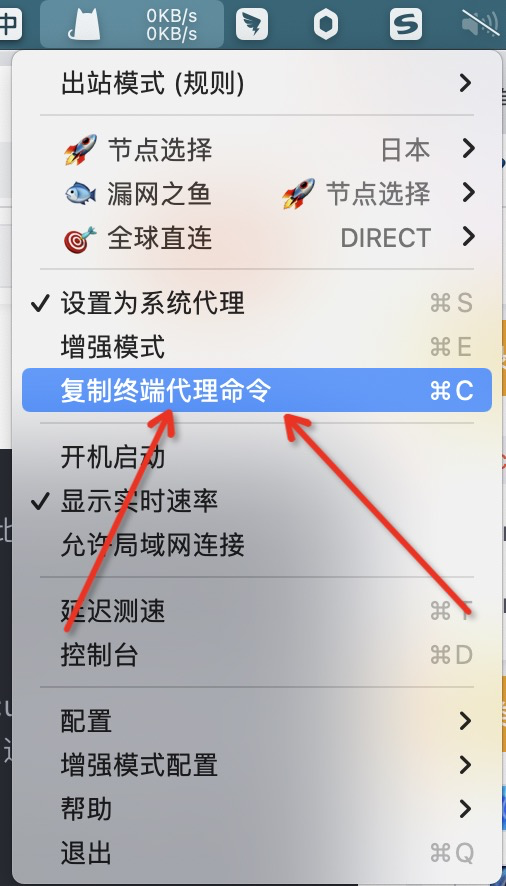
我这里获取终端代理命令,直接在工具上面复制即可。
本文由作者按照 CC BY 4.0 进行授权